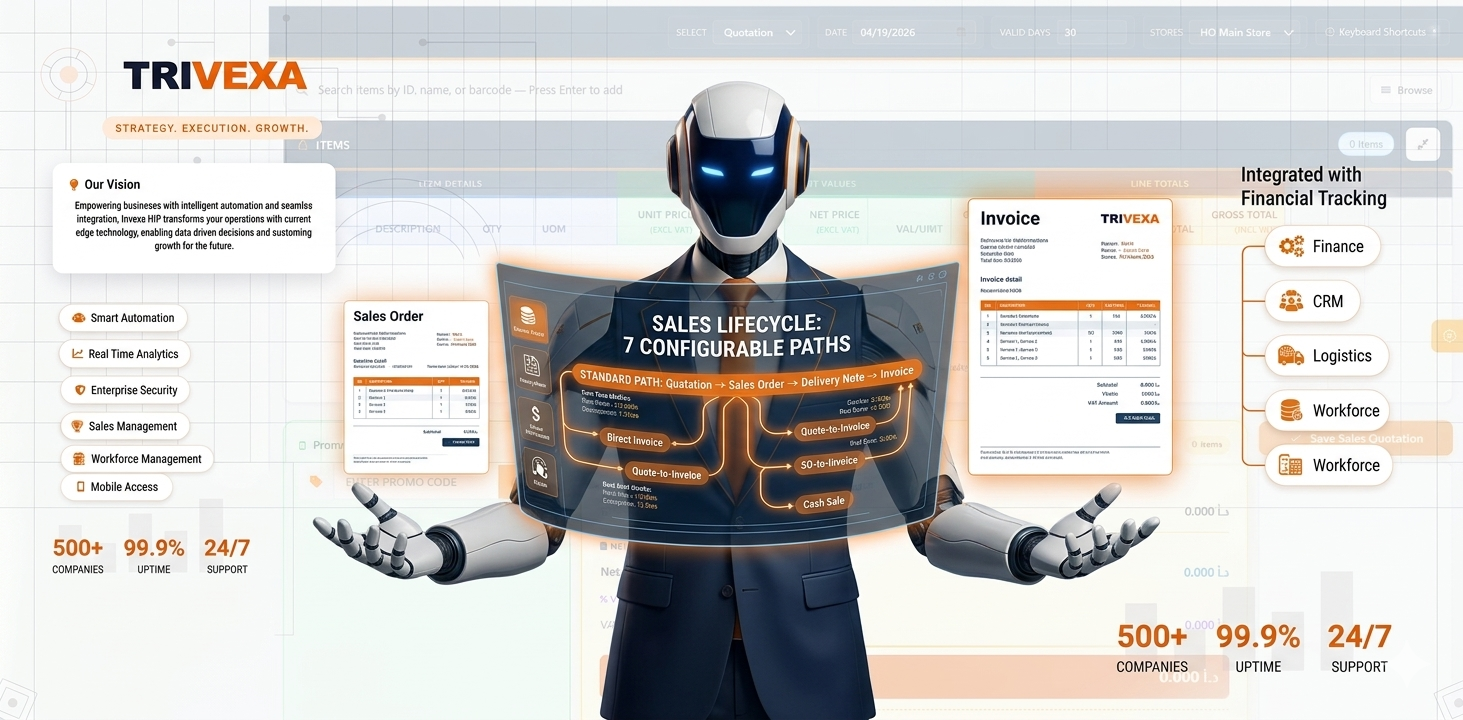
SALES LIFECYCLE
7 configurable workflow paths — from quotation to cash
Standard path: Quotation → Sales Order → Delivery Note → Invoice. But your business may need shortcuts — direct invoice, quote-to-invoice, SO-to-invoice, or cash sale. All seven paths are built in, governed by TransCategoryMetadata.
Core sales documents
Quotation Creates a formal price offer for customers without affecting inventory, with the flexibility to convert into sales orders, deliveries, or invoices, and supports professional document presentation.
Sales Order Confirms customer orders and secures required stock, with support for partial fulfillment, direct supplier fulfillment, and flexible processing, while linking seamlessly to delivery and invoicing.
Delivery Note Records the shipment of goods to customers, reducing stock quantities and completing the fulfillment of reserved items with full tracking and financial impact.
Invoice Records revenue from sales and finalizes the transaction, updating customer balances and reflecting the financial impact, with flexible creation from deliveries, orders, quotations, or direct entry.
Delivery Return Handles customer returns before invoicing, restoring items back to stock and reversing the related shipment impact, with full linkage to the original delivery.
Sales Return Processes customer returns after invoicing, restoring stock and reversing the financial impact of the sale, with special handling for direct supplier shipments where inventory is not affected.
All seven workflow paths
Each workflow path is strictly controlled by predefined rules, ensuring only valid document flows are allowed without the need for manual intervention.
-
Full path — Quotation → Sales Order → Delivery Note → Invoice
-
No quote — Sales Order → Delivery Note → Invoice
-
Quick sale — Quotation → Delivery Note → Invoice
-
Cash sale — Delivery Note → Invoice (direct delivery)
-
Direct invoice — Invoice only (stock + revenue in one step)
-
Quotation to invoice — Quotation → Invoice (skip SO and DN)
-
Sales Order to invoice — Sales Order → Invoice (skip DN, direct billing)
CROSS-MODULE
Back-to-back, dropship, and backorder management
Seamlessly connects sales with purchasing, where customer demand can trigger supplier orders, enable direct shipping to customers, and handle partial deliveries with automatic tracking and follow-up.
Back-to-back PO Customer orders can automatically generate linked purchase orders to fulfill demand, with received goods seamlessly assigned back to the original order for smooth and accurate fulfillment.
Dropship Suppliers ship goods directly to customers without passing through company stock, with the transaction handled seamlessly and costs recognized accurately at the time of invoicing.
Backorder management Automatically created when sales demand exceeds available stock, tracking the order through clear stages from pending to fulfillment or cancellation for full visibility and control.
Stock allocation Sales orders reserve available stock, and delivery notes reduce it upon fulfillment, with support for both partial and full deliveries, ensuring consistent availability and preventing overselling across all sales channels.
Credit/debit notes, payments, and apply
Customer Credit Note Adjusts customer balances by reducing outstanding amounts, and full financial record updates.
Customer Debit Note Increases customer balance by adding additional charges, with automatic reflection on financial records
Receipts Records incoming customer payments and reduces outstanding balances, ensuring accurate settlement tracking.
Payments Records payments issued to the customer and increases outstanding balances , with accurate tracking of all financial settlements.
Apply transactions Automatically or manually matches payments and credit adjustments to specific invoices, ensuring accurate settlement of customer balances.
Safe ID generation
Pessimistic locking on conversions
Save-time quantity validation
Atomic status transitions
Source RowVersion enforcement
Edit-mode quantity enforcement
SALES REPORTS
Sales analytics and AR reporting
Provides comprehensive insights into sales performance and customer balances, including key metrics such as revenue trends, profitability, customer value, outstanding aging, and analysis of discounts and promotions effectiveness.
Sales KPI Dashboard
Net Sales Report
Sales Pipeline
Item Profitability
Customer Lifetime Value
Sales Comparison
Sales Details
Customer Balance
Customer Statement
Customer Aging
Applied / Unapplied
Discount Dashboard
Promotion ROI
Print templates and Model C accounting
Professional print templates Customizable document layouts for all business forms such as quotations, invoices, deliveries, and returns, ensuring consistent and professional presentation across all outputs.
Model C (GDNII bridge) Separates stock movement from revenue recognition: goods are issued at delivery, reducing inventory, while invoicing records sales and cost of goods independently for clear financial accuracy.
End-to-end: From the moment a customer asks for a price to the final payment receipt — every step is tracked, every journal auto-generated, every stock movement audited, and every conversion protected against concurrency conflicts.