The configuration foundation every other module builds on countries, costing, transactions, permissions, compliance, and commercial controls.
Company identity and document management
Configure your company profile, print templates, country-specific rules, and multi-tenant identity - the foundation every transaction inherits.
Company settingsCompany profile, logo, identifiers, and operational defaults for the entire tenant.
Print templatesDesign document layouts per transaction type - invoices, quotations, delivery notes, POS, and more.
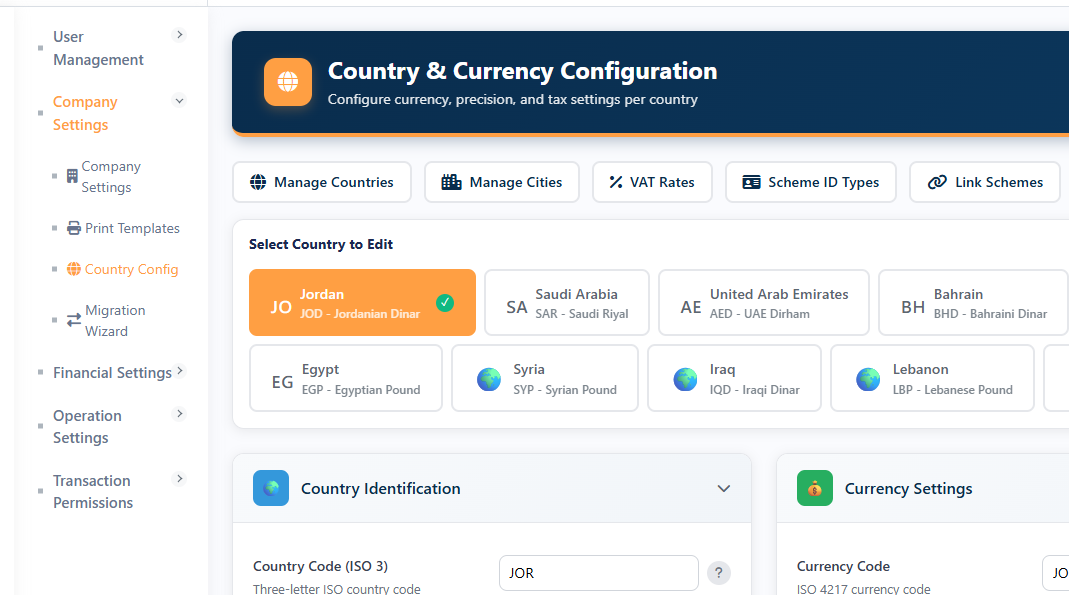
Country configurationCountry Configuration including currency configuration, decimal precision settings, VAT structures, number formatting , cities, and e-invoicing credentials per country (JOR, KSA).
Full bilingual supportA smooth Arabic and English experience across all parts of the system—from account names, document labels, settings, and reports—with support for additional languages coming soon.
Financial structure and compliance
Chart of accounts policy, GL mapping, JV series, fiscal calendar, ZATCA e-invoicing, aging periods, and costing methods - enterprise-grade financial controls.
Chart of account settingsChart of Accounts configuration including hierarchical coding policies per level, account type definitions with financial statement classification, maximum chart depth control, automated account code generation, and post-creation locking rules.
GL account mappingGeneral Ledger (GL) account mapping to system dimensions including Cash, Inventory, Goods Delivered Not Invoiced (GDNII), Goods Received Not Invoiced (GRNII), Cost of Goods Sold (COGS), Accounts Receivable (AR), and Accounts Payable (AP) for automated journal entry generation.
JV series groupsFiscal-year-aware numbering with series isolation per document type. Each module gets its own track.
Fiscal calendarDefine fiscal years and periods. Year-end closing wizard with validation checklist and opening balance carry-forward.
E-invoicing configurationE-invoicing configuration including KSA e-invoicing device and certificate workflow, Jordan JoFotara integration, with support currently for Saudi Arabia and Jordan and additional countries coming soon.
Aging period settingsConfigure Accounts Receivable (AR) and Accounts Payable (AP) aging bucket labels and day ranges per module for structured receivables and payables analysis, including stock aging to monitor inventory age distribution, movement, and valuation.
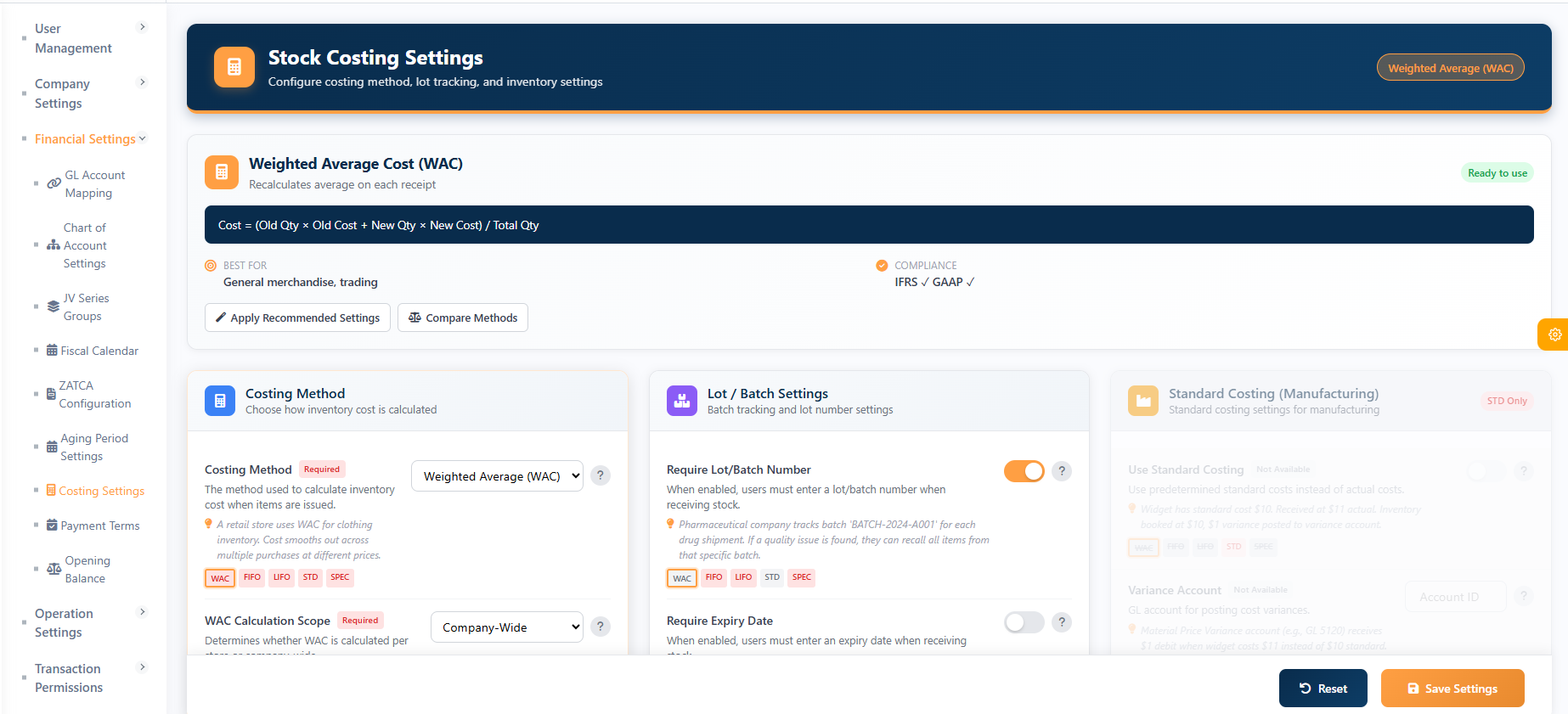
Costing settingsCosting configuration including selection of costing method (WAC, FIFO), definition of Weighted Average Cost (WAC) scope as company-wide or per-store, support for costing with store-specific accounts, and transaction locking after posting.
Payment termsDue-date rules for accounts receivable and accounts payable across sales and purchase documents.
Transaction types, behavior, and access control
Every document in TrivexaERP is governed by transaction type settings. You control which types exist, how they behave, and who can use them - down to the user, store, and cash account level.
Transaction typesTransaction types catalog defining all system transaction types across Sales, Purchase, Inventory, and Core modules, including naming conventions, classification, and numbering rules.
Transaction type settingsPer-type behavior: pricing rules, discount policies, workflow triggers, stock impact flags, and posting rules.
User permissionsUser permissions defining which transaction types each user is allowed to create, edit, post, or delete within the system.
Store permissionsStore permissions defining which transaction types are permitted per store or warehouse location within the system.
Cash permissionsCash permissions defining which transaction types are allowed per cash or bank account within the system.
COMMERCIAL CONTROLS
Pricing, discounts, promotions, and approval workflows
A complete commercial control layer: price lists with priorities, promotion campaigns (BOGO, tiers, codes), discount governance with reason codes and limits, and multi-step approval workflows - all configurable, all auditable.
Price listsCustomer, trade, retail, contract, promotion types. Priority-based with currency and date validity. Import/export via Excel.
Discount reason codesEvery manual discount requires a reason. Auditable trail. Can trigger approval workflow.
Discount limitsLayered limits: system-wide, per transaction type, per role, per user, per customer, per item. Exceeding triggers approval.
Workflow designerBuild multi-step approval workflows with triggers, approver types (user/role), escalation, and reminders.
Workflow rulesAttach workflows to transaction types. Configure triggers (new document, discount exceeded) and blocked actions until approved.
Customer groupsGroup customers with default price list, discount policy, and credit limits.
Notifications and integration
Email settingsSMTP configuration, templates, send queue, and delivery logs for transactional and notification emails.
WhatsApp integrationMeta WhatsApp Business Cloud API for OTP, customer notifications, and service messages. Per-tenant credentials with logging.
Operations and logistics
Delivery termsIncoterms-style delivery terms for sales and purchase documents, defining standardized trade and shipping conditions across transactions.
Shipping methodsDefines carriers and shipping methods used for logistics operations, enabling standardized shipment handling and tracking across sales and distribution processes.
Landed cost types
Define additional cost categories such as freight, insurance, customs, and related charges, along with default allocation rules for purchase landed costs. The system supports multiple allocation methods including By Quantity, By Value, and By Weight, ensuring accurate distribution of total landed cost across inventory items.
Inventory opening balanceEnter and post opening stock quantities and costs. Import support for large catalogs.
Multi-company and data migration
Multi-company and data migration allow you to manage multiple companies or branches within one system, each with its own settings and data. It includes a guided setup tool to move your data from TrivexaLite easily, showing real-time progress. This migration covers your basic information, starting balances, saved transactions, and a step-by-step transfer of financial records.
One configuration layer: All business channels—retail, wholesale, POS, e-commerce, and finance—operate using the same unified rules from one place, ensuring full consistency with no duplicate data and no conflicting settings across the system.